


AI Recipe Generator: TasteBot
4.435.00 Reviews
App Specs
- Version
- 1.3.1
- Updated On
- License
- Free
- Downloads
- 10,000+
- Developer
- Tastebot, LLC
- Categories
- Food & Drink
- Platform
- Android
Screenshots
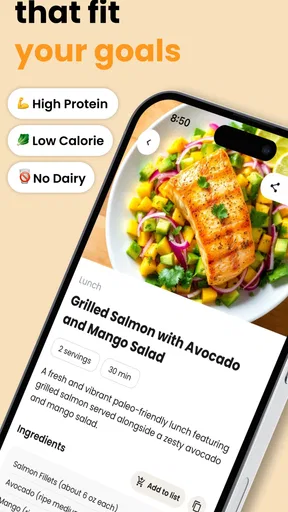

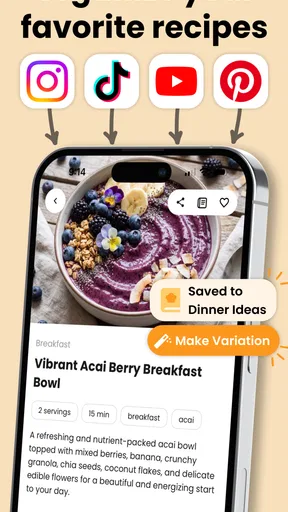
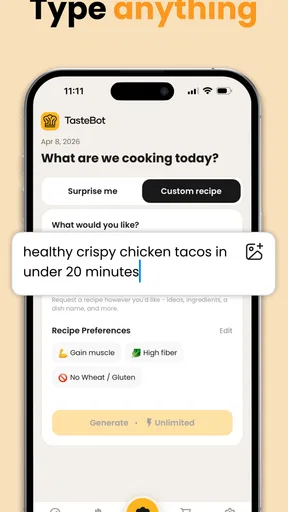
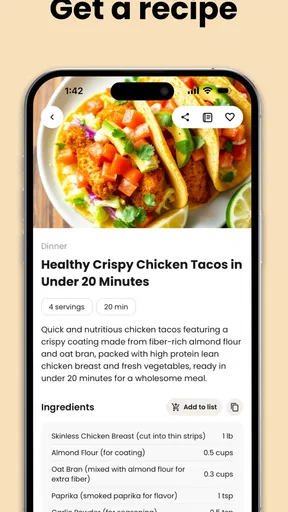

 Analysis by AppCompare
I tried TasteBot as a practical kitchen companion rather than treating it like a novelty chatbot. Its main appeal is simple: I can start with ingredients already in the kitchen and use the app to steer me toward a dinner idea, preparation guidance, and useful cooking suggestions. That makes it especially interesting in a shared household, where one person may open the refrigerator, another may be responsible for cooking, and everyone wants an answer that fits what is actually available.
The app comes from Tastebot, LLC and sits in the Food & Drink category. It is free to install, with optional in-app purchases ranging from $1.99 to $149.99 per item. I would not mistake “free” for “every possible tool is necessarily included,” so I would pay attention before confirming any purchase. Still, the basic idea is accessible enough for someone who wants help deciding what to make without beginning with a long search through recipe websites.
How TasteBot works in a real shared kitchen
The most convincing use case is the ordinary weeknight problem: I have a few vegetables, a protein, perhaps rice or pasta, and no clear plan. Instead of searching for a recipe by dish name, I can approach the problem from the ingredients outward. That small change matters because many recipe services assume I already know whether I want curry, soup, tacos, or a casserole. TasteBot is more useful when my starting point is uncertainty.
In a household, this also changes who can contribute. The person who shops may know what is available, while the person cooking may need a quick direction. Someone can enter the ingredients they see, then share the resulting idea verbally or through the device. I would still treat the suggestion as a starting point rather than an automatic meal plan, because a generated recipe may need human judgment about quantities, substitutions, cooking experience, and the preferences of everyone eating.
A realistic example is a shared tablet on the counter after work. One person checks the refrigerator and enters leftover chicken, carrots, onions, and rice. Another person decides whether the proposed direction sounds appealing and adjusts it around what the household actually likes. The value is not that the app magically replaces planning; it reduces the blank-page moment and gives the conversation something concrete to discuss.
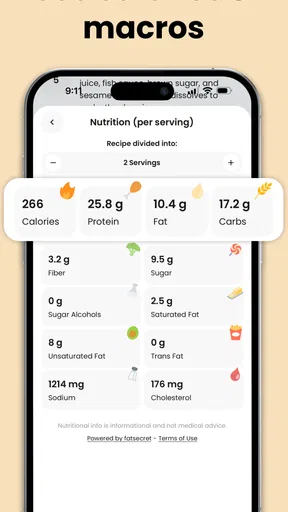
That makes the app a better fit for flexible cooks than for people who want a rigid, fully tested meal schedule. If I need exact nutrition calculations, medically controlled meals, or a carefully verified baking formula, I would use a specialist source instead. Ingredient-based inspiration is where this app makes the most sense.
What to prepare before using it
I get better results when I separate ingredients into three groups: items that must be used soon, items I definitely want to include, and items that are merely available. That distinction prevents the generated idea from treating every object in the kitchen as equally important. It also helps a shared household avoid a common disagreement: one person wants to use the leftovers, while another wants a particular flavor or style of meal.
Worth Reading Before You Choose

EA SPORTS FC Mobile 26 Is a Bigger Football Game, but It Takes Time

Flipboard Shows What News Apps Must Do Beyond the Feed

Switching to Android Auto Means Rethinking Your Driving Routine

Google Calendar Makes a Crowded Week Easier to Manage

Ludo King Makes the Most of the Minutes Between Plans

Baby Panda World Brings Quick Play to Modern Phones, but Its Game Library Feels Busy
I would also enter meaningful constraints in plain language whenever the app allows the conversation to carry them. For example, I would mention that the dish should be mild, quick, vegetarian, or suitable for what the children will eat. I would not assume that an AI suggestion understands a household’s full history. If an allergy, religious restriction, or serious dietary requirement is involved, I would verify every ingredient and preparation step myself rather than trusting a generated answer without checking.
The app is rated for Everyone, which makes it approachable in a family setting, but that label is not the same as a promise that every recipe is suitable for every age. A child can help choose ingredients or suggest a favorite flavor, while an adult should handle knives, hot pans, ovens, and any judgment about allergens. The age rating describes the app’s general audience; it does not remove normal kitchen supervision.
There is also a useful boundary between the app and the household’s own accounts. If several people use one device, I would avoid assuming that one person’s previous interaction represents everyone’s preferences. The safest workflow is to treat each cooking session as a fresh planning task unless the app clearly shows information that belongs to the current user. That keeps a roommate’s dislike of an ingredient from silently influencing someone else’s dinner and avoids confusing personal preferences with shared household rules.
Shared devices, personal choices, and account boundaries
For a family or group of roommates, the important question is not only whether the app can suggest a meal, but also how people decide what information to put into it. I would keep the input focused on the recipe task: available ingredients, taste preferences, and practical cooking limits. I would not use a shared device to enter sensitive personal information that is unrelated to dinner.
When several people take turns, a short spoken routine works well. The person checking supplies names what needs using first. The cook adds the time and equipment limits. The person eating can raise preferences or exclusions. TasteBot then becomes one participant in the planning process rather than an authority that settles every disagreement. This is a subtle but important strength: the app can make coordination easier without pretending to know the household better than the people in it.
I would be cautious about leaving a generated recipe open on a public or shared screen if the device is used by guests or children. That is not because the app is inappropriate for general audiences, but because shared technology benefits from simple boundaries. Keep the conversation about food, review the result before cooking, and close or reset the session when the household changes from one user to another.
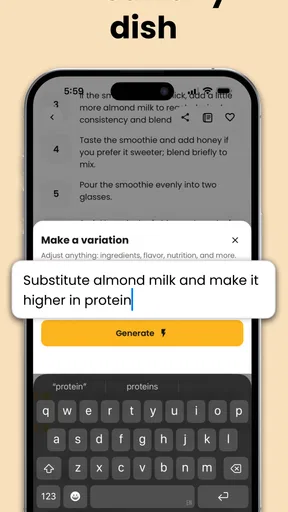
Another practical tip is to make a quick note of substitutions before anyone starts chopping. AI-generated suggestions can sound smooth while still leaving an important question unanswered: is the replacement ingredient likely to change texture, saltiness, cooking time, or allergen risk? A household member who knows the kitchen should make that final call. I find this more reliable than following a generated sequence mechanically.
Where the cooking guidance helps, and where I still take over
The kitchen tips are most helpful when I need a nudge about technique or sequence. A suggestion can help turn a pile of ingredients into a plausible plan: what to cook first, which components can share a pan, or how to make a basic meal feel less repetitive. That is different from simply showing a photograph and a fixed ingredient list. The app’s usefulness comes from connecting what I have with what I can reasonably do next.
However, I would not treat every instruction as equally dependable. Generated cooking advice still needs the same common sense I would use with a recipe found elsewhere. I check whether meat is fully cooked, whether a sauce needs more liquid, whether a pan is too crowded, and whether the timing makes sense for the equipment in front of me. The app can suggest a direction, but it cannot see the size of my vegetables, the strength of my burner, or the condition of my leftovers.
This is where experienced cooks may feel a trade-off. A traditional cookbook offers tested structure and predictable repetition. A search engine offers a huge range of established recipes, often with user comments and photographs. TasteBot offers flexibility when the ingredients do not neatly match a known dish. I would choose it for improvisation, not as a replacement for a trusted recipe collection when precision matters more than creativity.
Beginners may appreciate the freedom, but they should not confuse a confident-sounding suggestion with a cooking lesson. I would begin with straightforward combinations and read the entire proposed method before starting. If the result calls for several unfamiliar techniques at once, I would simplify it or switch to a conventional recipe. That approach keeps the app helpful without allowing the novelty of AI-generated ideas to create unnecessary stress.
Coordination for families and roommates
In shared homes, dinner problems are often coordination problems disguised as recipe problems. One person may have limited time, another may avoid certain foods, and a third may be trying to use groceries before they spoil. TasteBot can help put those competing needs into one conversation, but the household still has to decide which requirement wins.
I would use a two-stage workflow. First, enter the ingredients that should genuinely shape the meal. Second, review the suggestion together and remove anything that creates extra shopping, equipment, or preparation work. This prevents a common failure of recipe discovery tools: starting with a nearly empty kitchen and ending with a plan that requires a separate trip to the store.
A particularly useful habit is to ask for a direction that leaves room for individual finishing choices. A neutral base, such as a grain, soup, or pan-cooked mixture, can be seasoned differently at the end for people with different tastes. That is more practical in a shared home than generating an entirely separate dish for every person. I would still verify the suggested method, but this workflow makes the app serve household flexibility rather than creating more work.
For roommates, I would agree beforehand on what counts as available. “In the kitchen” does not always mean “free to use.” TasteBot cannot resolve ownership or grocery-budget disagreements, so the person entering ingredients should distinguish shared supplies from someone else’s planned meal. That small boundary prevents the app from encouraging accidental food waste or awkward conversations.
For parents, I would let children participate in low-risk decisions, such as choosing between two suggested flavor directions or naming ingredients they enjoy. I would keep the final approval with an adult, especially when the suggestion involves unfamiliar foods, strong spices, or equipment that requires supervision. The Everyone rating makes the app suitable to consider as a family-friendly tool, but responsible use still depends on the adults around the device.
Trust, age, and the limits of generated recipes
The app’s audience is broad, and its approachable format may make it tempting to hand the device to a child and let the child lead. I would not do that without supervision. A young user may understand the idea of entering ingredients but not recognize cross-contact risks, unsafe temperatures, or the danger of tasting food before it is properly cooked.
Adults should also be careful with dietary claims. If someone in the household has an allergy, diabetes, celiac disease, or another condition where ingredient details matter, I would use TasteBot only for brainstorming and then verify the complete recipe against reliable medical or nutritional guidance. The app can help find alternatives, but it should not be the final safety check.
Trust also involves expectations. I would explain to less experienced users that the app is a creative assistant, not a chef physically present in the kitchen. That framing encourages them to question odd combinations and ask for clarification rather than assuming every result is guaranteed. In my view, this is the healthiest way to introduce AI food tools to a shared household: useful, but always reviewed by a person who understands the situation.
The developer, Tastebot, LLC, presents the product as a food-focused tool rather than a general-purpose assistant, and that narrower purpose is a benefit. I am less likely to wander into unrelated experimentation when the app is being used specifically to turn ingredients into dinner. Even so, I would keep personal boundaries clear on a shared device and avoid treating any generated preference as a permanent household profile unless the app explicitly makes that behavior visible.
Version, access, and value for different users
The current version is 1.3.1, and the app supports devices running Android 7.0 or later. That gives it a reasonably broad reach for people using older Android hardware, which is useful when the kitchen device is not the newest phone in the home. A shared tablet or spare handset can therefore be practical, provided it is comfortable to read while cooking.
TasteBot has an average rating of 4.4 from over three hundred ratings, with over thirty written reviews, and it has passed ten thousand installs. Those figures suggest a real early audience without making the app feel like an established replacement for every recipe service. I read that as a reason to approach it with interest and sensible expectations: it has enough adoption to be worth trying, but its best role is still specific and focused.
The free entry point is important for households that want to test the workflow before committing money. At the same time, the range of optional purchase prices is wide, reaching $149.99 per item. I would make sure the person using a shared device understands when a purchase screen appears, especially if children or guests can access the app. For a household, agreeing on who may approve purchases is just as important as agreeing on who owns the groceries.
People who want a quick idea from leftovers are likely to get the most value. Busy couples, roommates sharing a kitchen, and parents trying to make dinner from imperfect supplies can all benefit from the app’s ingredient-first approach. It is also a good fit for cooks who enjoy improvising but occasionally need help escaping the same three meals.
I would skip it if my priority were a locked-down meal plan with exact nutrition, dependable professional testing, or a large archive of traditional recipes organized by cuisine. In those situations, a specialist nutrition app, a trusted cookbook, or a conventional recipe platform is a better tool. I would also skip relying on it for high-stakes dietary needs unless I were prepared to verify every suggestion independently.
My household verdict
After using it as a shared kitchen aid, I see TasteBot as most valuable at the moment when ingredients are available but decisions are not. It helps turn an unplanned collection of food into a conversation and then into a possible meal. That is a modest goal, but it addresses a real daily frustration better than a long list of recipes that assumes I already know what I want.
Its strongest household quality is flexibility. One person can supply the ingredients, another can judge the flavor direction, and an adult can check the safety and practicality before cooking begins. The app does not need to control the family, store every preference, or replace the cook to be useful. In fact, I prefer it when everyone treats the output as a draft that belongs to the household once it has been reviewed.
The main caution is equally clear: generated ideas require supervision, especially around allergies, children, food safety, and substitutions. The app can save planning time, but it cannot inspect the refrigerator, understand ownership of groceries, or guarantee that a method suits every kitchen. I would use it to reduce decision fatigue, then rely on human judgment for the parts that matter most.
My recommendation is to try TasteBot when your household needs inspiration from what is already on hand, not when you need a final authority. Used within those boundaries, it is an approachable free food app with a genuinely useful angle. It earns a place on my shared-device shortlist because it encourages cooperation around dinner, while still leaving the important choices with the people who will actually eat and prepare the meal.
For a family or group of roommates, that balance is the real reason to consider it. The app can start the plan, but the household supplies the context, the safety checks, and the final decision. That makes it a practical companion for everyday cooking rather than a substitute for experience, communication, or care.
Pros
- Creates recipe ideas quickly from ingredients you already have.
- Useful for exploring new cuisines and meal combinations.
- Can help reduce food waste by suggesting uses for leftovers.
- Convenient for planning meals without searching multiple websites.
- Suitable for users with limited cooking experience.
Cons
- Generated recipes may need adjustments for taste or ingredient availability.
- Nutrition details may be incomplete or require independent verification.
- Some suggestions can be impractical without common pantry staples.
- Recipe quality may vary depending on how clearly you describe ingredients.
- Users with allergies should verify every ingredient before cooking.
FAQs for AI Recipe Generator: TasteBot
What is AI Recipe Generator: TasteBot, and how does it work?
AI Recipe Generator: TasteBot is designed to create personalized recipe ideas with the help of artificial intelligence. You can typically enter ingredients you already have, select a preferred cuisine, mention dietary requirements, or describe the type of meal you want. The app then suggests recipes with ingredients, preparation steps, and cooking guidance. Results may vary, so users should review instructions and quantities before cooking.
Can TasteBot create recipes based on the ingredients I already have at home?
Yes, one of the most useful features of TasteBot is its ability to suggest meals from available ingredients. You can list several items from your refrigerator or pantry and ask the app to combine them into a recipe. The quality of the result depends on how clearly you describe the ingredients, quantities, and restrictions. It is still important to check whether the suggested combination is practical and safe.
Does AI Recipe Generator: TasteBot support dietary restrictions and allergies?
TasteBot may help generate recipes for preferences such as vegetarian, vegan, low-carbohydrate, gluten-free, or dairy-free eating. However, AI-generated suggestions should not be treated as a guarantee that a meal is medically safe. Always mention allergies clearly, read every ingredient carefully, and verify product labels for cross-contamination warnings. People with serious allergies or medical conditions should consult a qualified professional.
Are the recipes from TasteBot suitable for beginners?
The app can be useful for beginners because it generally presents recipes in a structured format, including ingredient lists and step-by-step preparation instructions. It may also help users discover simple ways to use familiar ingredients. Nevertheless, cooking times, temperatures, serving sizes, and techniques can occasionally be inaccurate or incomplete. Beginners should use common sense, follow food-safety practices, and supervise cooking when using heat or sharp tools.
Does AI Recipe Generator: TasteBot require an internet connection or payment?
The exact access requirements can depend on the version of TasteBot, your device, and the developer’s current subscription model. Some features may require an internet connection because recipe generation is processed online, while advanced tools could be limited to premium users. Before downloading or subscribing, review the app-store listing for pricing, in-app purchases, trial terms, privacy information, and cancellation conditions.


